Kapsl
A personal wardrobe app, designed and built end to end: catalog your clothes, put together looks, log what you wear and buy only what’s missing.
- Duration
- 5 months
- Type
- Wardrobe App
- Deliverables
- Design System, UI/UX, Development
- My role
- Product Design & Front-end
Overview
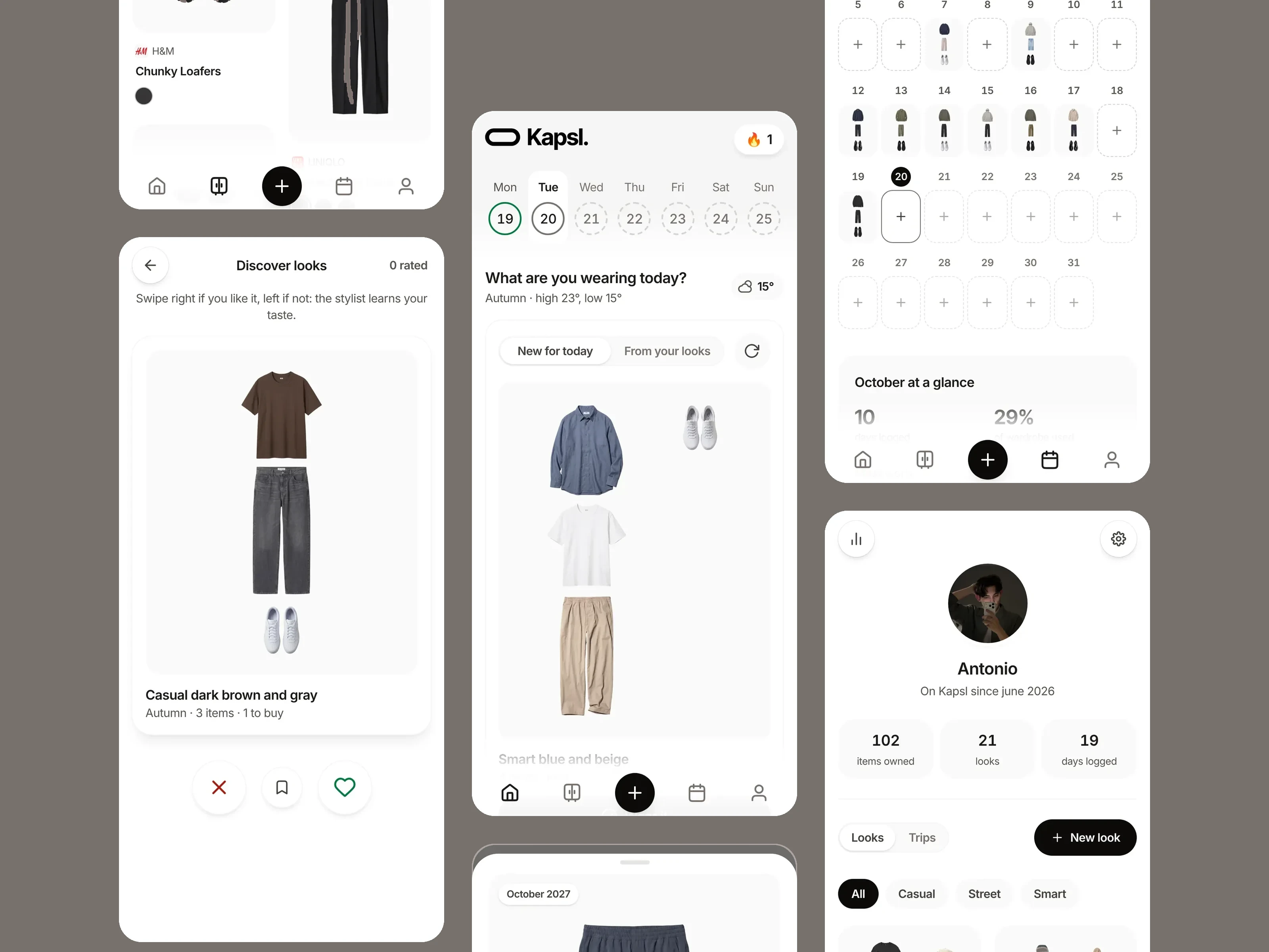
Kapsl is a personal wardrobe app to catalog my clothes, put together looks, log what I wear and buy only what’s missing.
Background
It started in June 2026 as UNIQLOset, a one-page tool to keep track of my UNIQLO pieces. It cataloged pieces one photo at a time and suggested outfits blind: no diary, no weather, no memory. In October I rebuilt it from scratch as Kapsl, with a new design system, AI features and an English version.
What I’ll cover
I’ll walk you through the app’s objectives, the research on the first version, the design process, the design review and how the app is used today.
Kapsl is not a concept: every screen in this case study is a capture of the live app, with my own wardrobe in it. I designed it, built it and use it every day.
Definition
First, I defined success measures through three goals, each with a number the app already tracks, then prepared a timeline of product design.
Catalog in seconds
Adding a piece must be faster than writing it down. Measured by the pieces cataloged: the app must keep matching the real wardrobe.
Decide what to wear
A ready look every morning, based on the weather and my taste. Measured by the days logged in the calendar.
Buy only what’s missing
Every purchase goes through the wishlist first. Measured by the wishlist by month and the spending in Stats.
Research goals & methods
Research phase
The research phase focused on my own daily use of the first version and on the wardrobe app market, to understand what was missing for the way I dress.
The research aimed to answer key questions such as:
- Why does the wardrobe in the app stop matching the real one?
- What do I need in the morning to decide what to wear?
- How can I avoid buying pieces I already own?
- Where does Kapsl stand compared to other wardrobe apps?
User needs
Fast and precise
Adding many pieces at once, without losing color codes, product IDs and variants.
Private and in control
No feed and no push to buy: suggestions help, but the last word is always mine.
Pain points
“Cataloging everything takes several sessions: one photo, one cleanup, one form, every time.”
“The outfit generator doesn’t know it’s raining today, or that I wore the same jeans yesterday.”
“Stats tell me what I spent, not what I actually wear.”
Collected data
Data was collected through:
- Daily use of v1 my own routine with the first version, noting pain points and missing moments.
- User journey a full routine, from planning a purchase to taking stock.
- Market scan wardrobe apps, from their screens and public information.
Where v1 stood
- Precise data: color codes, product IDs, variants.
- Purchases planned by month, with spending.
- A generator I could steer, locking pieces to keep.
- No diary: it never knew what I wore.
- No weather in the suggestions.
- One photo at a time to add a piece.
Problems statement
Problem 1
Kapsl didn’t know what I wear: without a diary there was no calendar, no “most and least worn”, nothing to learn from.
Problem 2
Filling the wardrobe was slow: one photo at a time, each with its own cleanup and form.
Problem 3
Suggestions ignored the day: the generator used only the season, not the weather or what I wore recently.
Target definition
Marco Bianchi
Product designer
“I want to know what I own. What to buy, I’ll decide myself.”
Bio
Marco buys the same models again in different colors, buys little and plans. He catalogs on the computer and decides on the phone.
- Age:
- 34
- Wardrobe:
- ≈ 150 pieces
Personality traits
- Buy only what’s missing, in the right month and on budget.
- A coherent outfit in seconds, with the last word his.
- Cataloging everything takes several sessions.
- The generator ignores today’s weather.
- Stats show spending, not use.
- No memory of what he wore last week.
- Wear more of what he already owns.
- Spend only on what is actually missing.
Marco is a proto-persona: a hypothesis built from my own use and the app’s data, not from interviews. Validating it with real people is the first step of the roadmap.
Solution brainstorming
Proposed solution
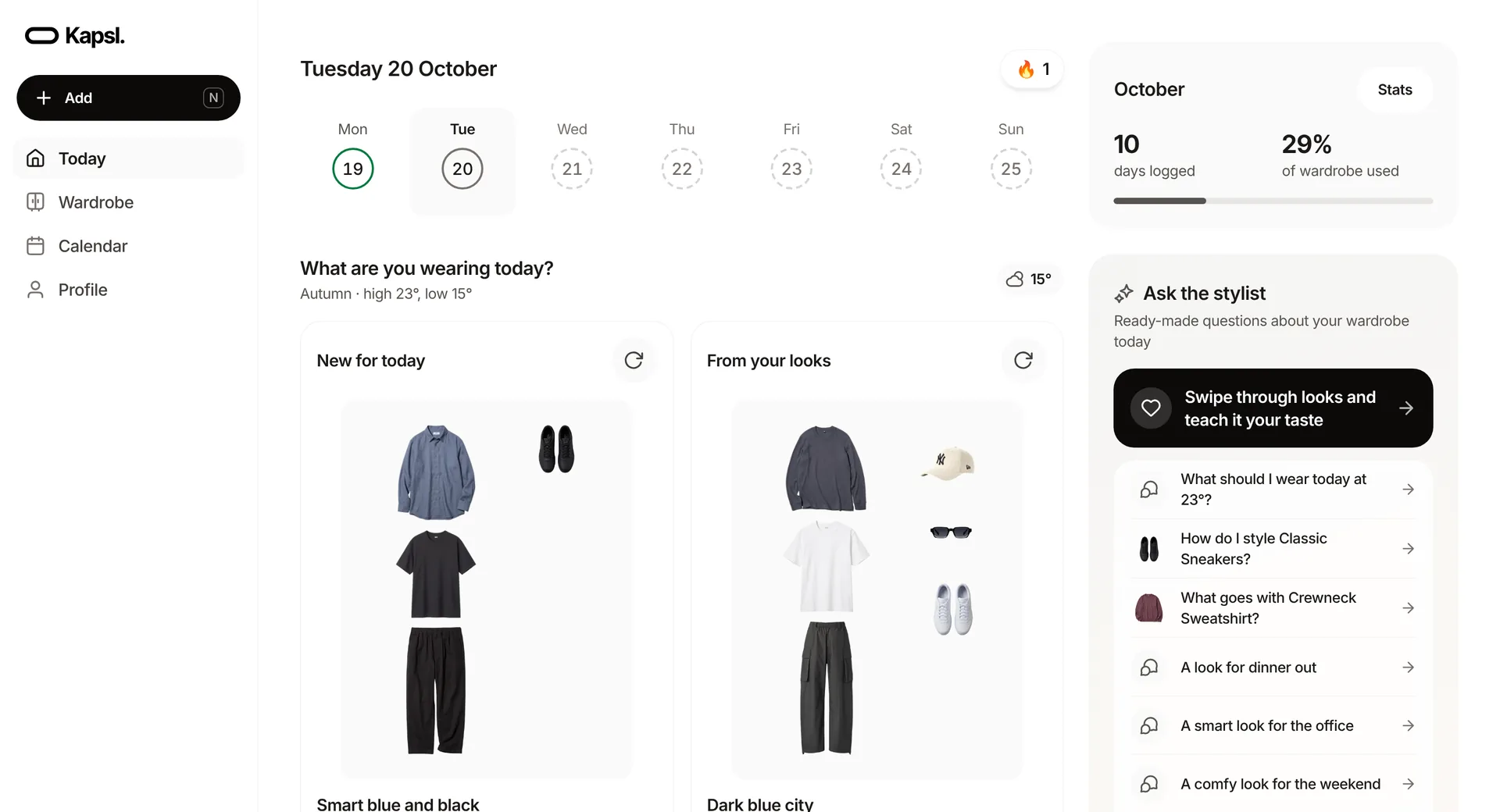
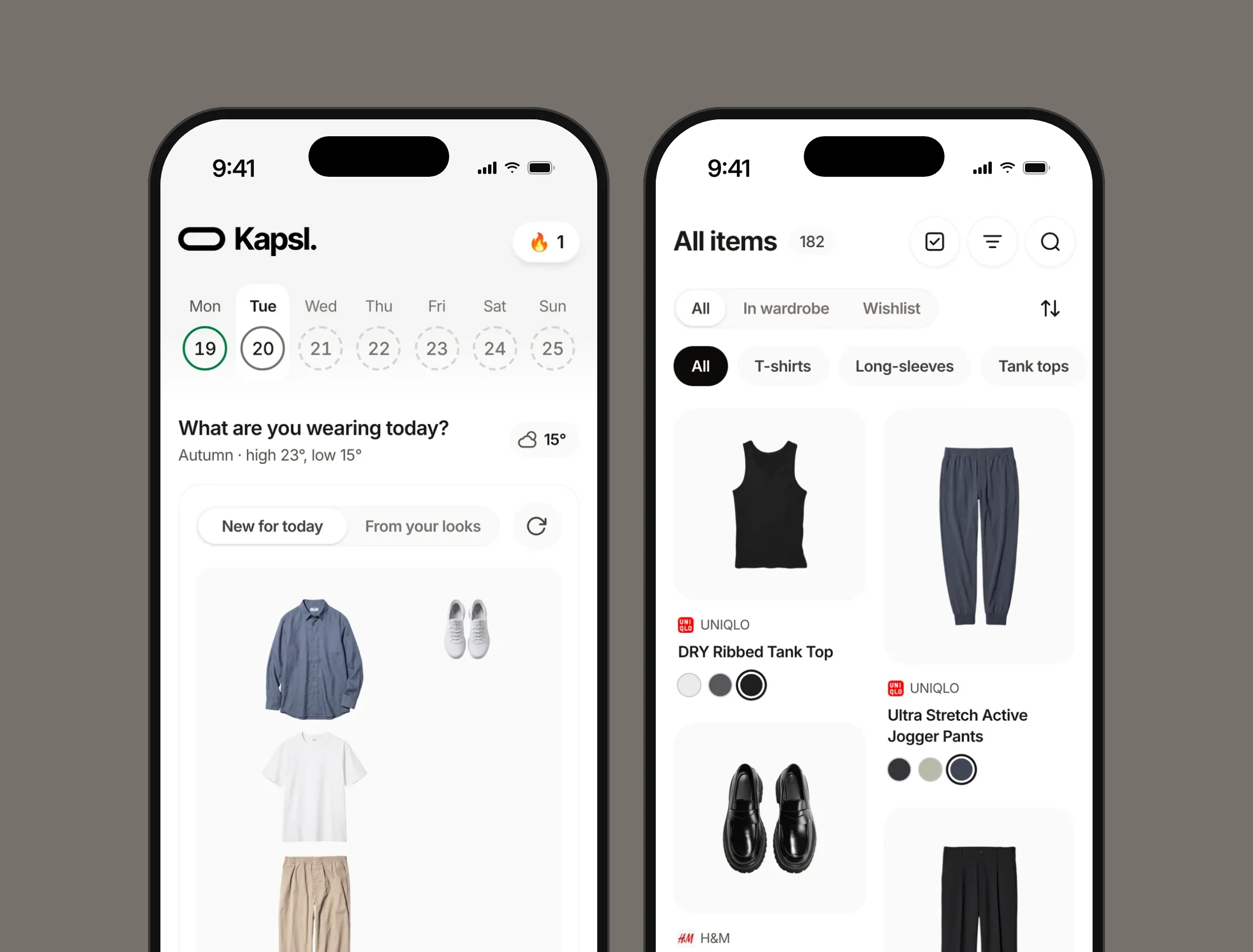
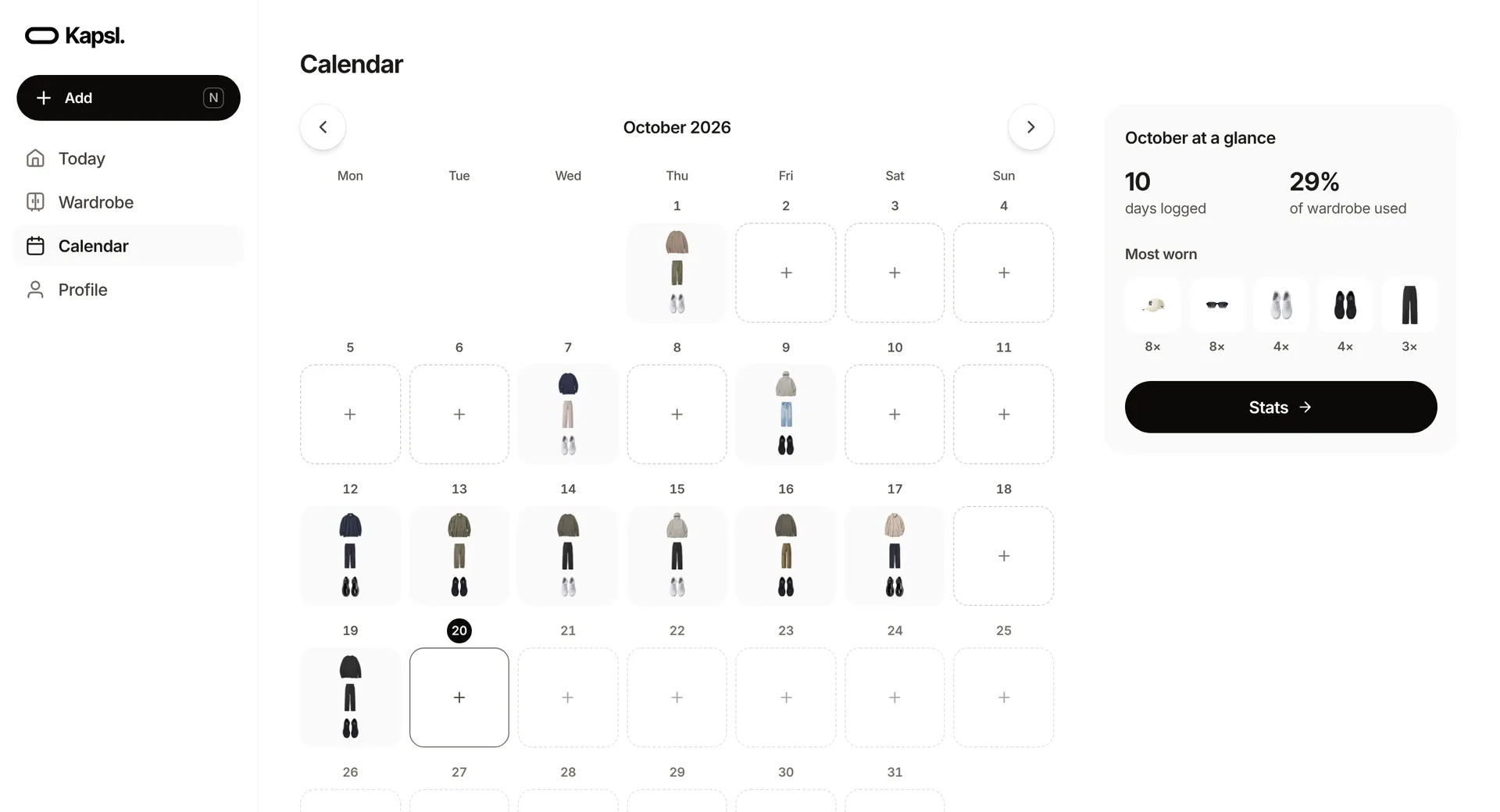
Rebuild the app from scratch around the moments of the day: Today for deciding, Wardrobe for owning, Calendar for remembering, Profile for looking back, and one + for adding anything.
Fit
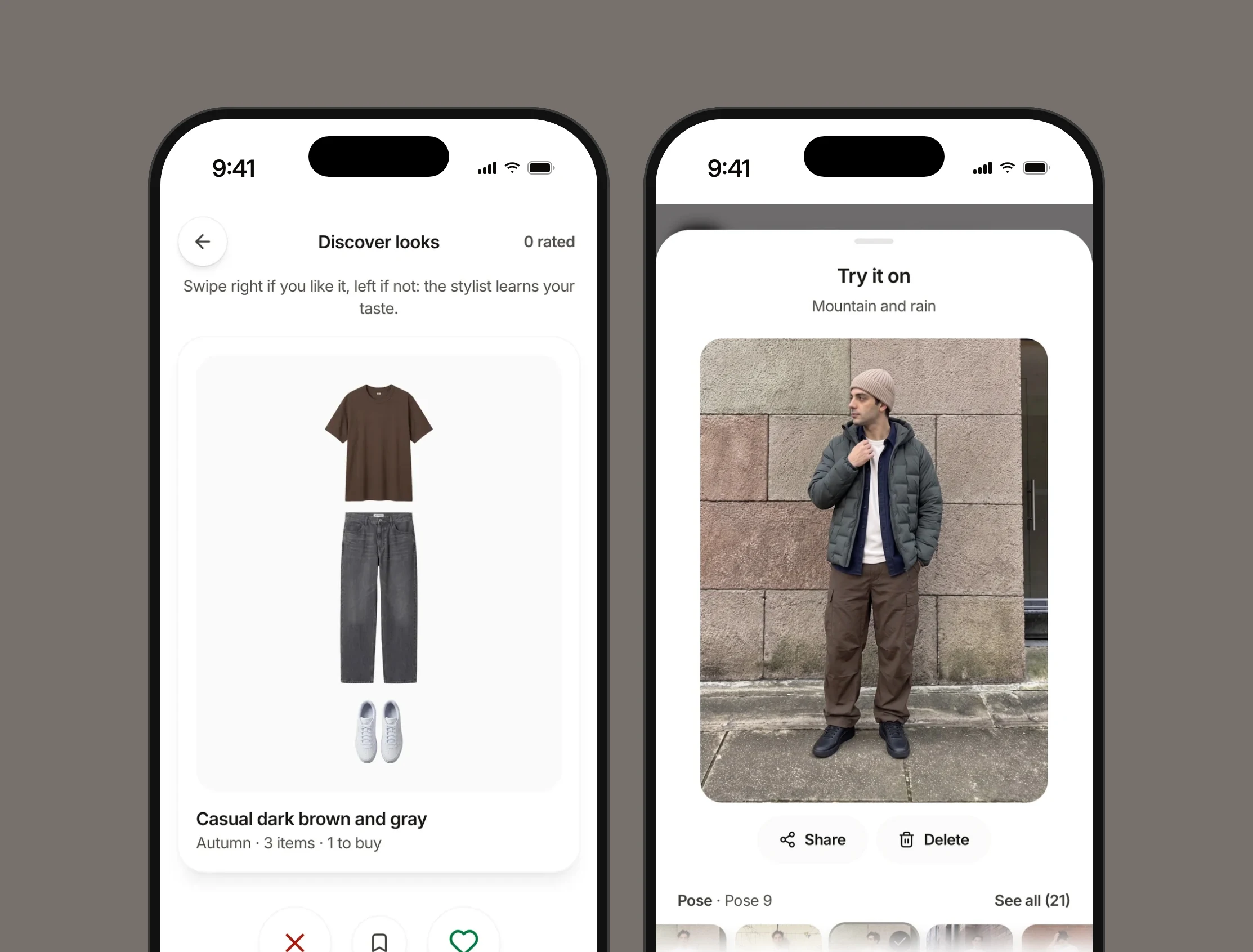
Most wardrobe apps are social or let AI decide. Kapsl sits on purpose in the private, hands-on corner: AI does the boring parts (cutout, recognition, details), never the deciding ones, and every AI call has a visible cost.
Key features ideas
User journey
Catalog
- Marco
I want to add several pieces at once.
- Marco
I want the background removed for me.
- Marco
I want to fix anything AI got wrong.
Get dressed
- Marco
I want a ready look based on the weather.
- Marco
I want to keep a piece and change the rest.
- Marco
I want to log what I wore with one tap.
Remember
- Marco
I want to see what I wore each day.
- Marco
I want to know my most and least worn pieces.
- Marco
I want a packing list for my trips.
Buy
- Marco
I want to plan a purchase by month.
- Marco
I want to see what would complete my looks.
- Marco
I want to check my spending before buying.
Information architecture
- Today: weather, the week and the look of the day.
- Wardrobe: every piece, in the wardrobe or in the wishlist.
- Calendar: what I wore and what I plan to wear.
- Profile: looks, trips, stats and settings.
- + Add: a piece, a look or a trip, from anywhere.
Solution

Testing insights
Kapsl is live, so instead of a validation plan this step has real material: a design review of the finished app and the numbers from my own account.
Design review findings
- MajorFixed
Color dots disappeared in some themes
Black dots in dark mode and white dots in light mode blended into the card.
Recommendation
A stronger border on every color dot.
- MajorFixed
Touch targets under 44 px
The password eye, the look dots in the week and the try-on trash were too small to hit reliably.
Recommendation
44 px areas everywhere, with a hit-area helper in the design system.
- MajorFixed
Try-on could not be undone
Deleting a try-on or a pose was immediate and permanent.
Recommendation
Undo for 5 seconds, inside the panel.
How each goal is going
Pieces cataloged
182
102 in the wardrobe, 80 in the wishlist.
Days logged
19
10 of them in October alone.
Looks saved
21
Built by hand, generated or saved from Discover.
What AI costs
| Feature | What it does | Cost |
|---|---|---|
| Recognition | Name, category, color, season and brand from a photo | ≈ $0.003 per photo |
| Background removal | Cuts the piece out and crops it tight | 5 credits per photo |
| Virtual try-on | Dresses an avatar pose in the look’s pieces, in about 20 s | ≈ $0.05–0.07 |
Next steps
Kapsl started from three problems: no memory of what I wear, slow cataloging and suggestions that ignored the day. The new version answers them with a calendar, several photos at once with AI cutout and recognition, and a look of the day based on the weather, on a design system that keeps it consistent in light, dark and desktop.
What I’d do next
Now
2Usability tests
Adding a piece and choosing a look, with people who have very different wardrobes.
Validate the proto-persona
Short interviews before adding anything new.
Next
2Trips inside the calendar
Cost per wear on every piece
Later
1Real accounts
Sign-up, onboarding and photo privacy, to open Kapsl beyond a single password.